
绝对定位-元素宽度自动撑开
情景
当父级出现定宽高情况下,子级绝对定位元素需要宽度撑开时。
原场景
子元素-撑撑撑撑撑撑撑撑撑撑撑撑撑撑撑撑撑撑
.box-1 {
  left: 50%;
  transform: translateX(-50%);
}
1. width: max-content
子元素-撑撑撑撑撑撑撑撑撑撑撑撑撑撑撑撑撑撑
  .box-1 {
    left: 50%;
    transform: translateX(-50%);
+   width: max-content;
  }
2. white-space: nowrap;
子元素-撑撑撑撑撑撑撑撑撑撑撑撑撑撑撑撑撑撑
  .box-1 {
    left: 50%;
    transform: translateX(-50%);
+    white-space: nowrap;
}本博客所有文章除特别声明外,均采用 CC BY-NC-SA 4.0 许可协议。转载请注明来源 kshao-blog-前端知识记录!
 微信
微信- 支付宝

相关推荐
2019-07-01
css 底部菜单栏动画
从中间展开 after 需要设置 position:absolute;left:0;right:0;bottom:0;margin:auto

2020-12-25
Css 模拟赛博朋克 故障风格 按钮
clip-path 和 step 的运用 记录。 .punk-wrap { display: flex; align-items: center; justify-content: center; width: 400px; height: 300px; margin: 100px auto; background-color: #F8F005; } .punk-btn, .punk-btn::after { position: relative; width: 150px; font-size: 25px; height: 40px; line-height: 40px; font-family: 'Bebas Neue', cursive; outline: none; border: none; ...
2020-03-11
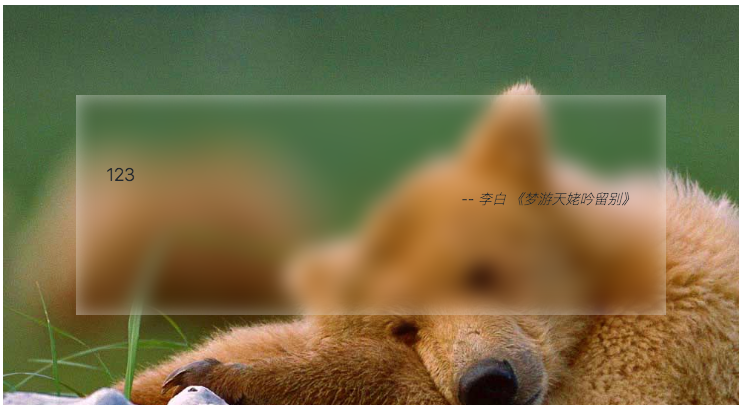
css 实现毛玻璃
solution filter: blur(x px); 效果 .f-wrap { height: 400px; position: relative; background: url("/img/filter-glass/bg1.jpg") no-repeat 0 / 100% fixed; } .f-box-1 { position: absolute; /*left: 50%;*/ /*top: 50%;*/ /*transform: translate3d(-50%, -50%, 0);*/ left: 0; right: 0; top: 0; bottom: 0; margin: auto; z-index: 1; width: 80%; height: 55%; box-sizing: border-box; padding: 66px 30px; background-color: rgba(...

2023-06-13
【CSS】主流 UI 库都在用的逻辑伪类选择器 not、where、is、has
目前 Css 关于逻辑选择器::not、:is、:where、:has,除了 :has 比较新以外,其他选择器在一些 UI 库中都有广泛的使用,浏览器基本都已经支持了,一起卷起来,使用更先进的选择器~ :notMDN: :not() CSS 伪类用来匹配不符合一组选择器的元素。由于它的作用是防止特定的元素被选中,它也被称为反选伪类(negation pseudo-class)。 <ul class="css-selectors selector-not"> <li>1</li> <li>2</li> <li>3</li> </ul> .selector-not { li:not(:first-child) { border: 1px solid red; } } .css-selectors { margin: 20px auto; width: 50%; border: 1px solid #000; } ...

2024-05-14
【CSS】CSS-Nesting:CSS 嵌套写法 —— 有望替代 less sass 的原生嵌套
现在 CSS 也有了嵌套写法,“不再需要” less sass 等预处理器,原生 CSS 就可以实现嵌套写法,可以减少代码量,提高代码可读性,让 CSS 更加优雅~哦,没人写 css 了是吧 QAQ CSS-Nesting 从 Chrmoe 112 开始,原生 CSS 就可以支持嵌套语法了(你不会还是旧版本吧????) 语法 MDN 示例 /* Without nesting selector */ parent { /* parent styles */ child { /* child of parent styles */ } } /* With nesting selector */ parent { /* parent styl...

2024-05-15
【CSS】解决外边距重叠(重合)引起的 margin 垂直方向(top、bottom)不生效,无作用的问题
随着各种 UI 库的使用,像这种问题在业务中可能都很少接触,但是仍需了解其现象和解决方案。 一键直达 相邻兄弟元素的外边距重叠 父级与子级的外边距重叠 空块级元素的外边距重叠 什么是外边距重叠 —— Margin Collapsing 当块级元素(Block)的上下外边距与其相邻或嵌套的块级元素外边距重叠时,外边距会合并为一个外边距,而不是相加。这种行为成为外边距重叠。(浮动和绝对定位的元素不会发生外边距重叠) 外边距重叠只会发生在块级元素(Block)上,例如 div、p、section 等。 外边距重叠计算规则示例元素 <div class="css-fix-margin-item-parent"> <div class="css-fix-margin-item-child">child di...
评论
最新文章


